Journal-Based Workflow
notd is built around a journal-based system inspired by tools like LogSeq. This approach uses date-based pages as the foundation for daily note-taking and organization.
Daily Journal Pages
By default, notd redirects to today’s date page (e.g., 2024-07-18). These journal pages:
- Are automatically created when first accessed
- Provide a consistent starting point for daily work
- Can contain any type of content: notes, tasks, links, etc.
- Form a chronological record of your thoughts and activities
Date Navigation
Navigate between dates using:
- The calendar widget in the sidebar
- Direct URL editing (
page.php?page=2024-07-18) - Page links to specific dates:
[[2024-07-18]]
Task Management System
notd includes a comprehensive task management system with multiple states and visual indicators.
Task States
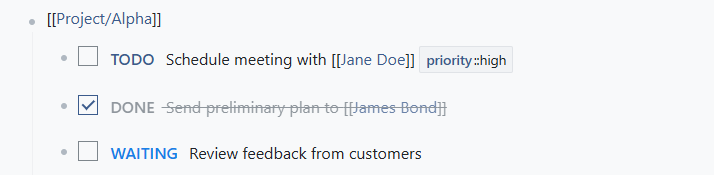
Use these keywords at the beginning of a note to create tasks:
TODO- Task to be doneDOING- Task currently in progressDONE- Completed taskSOMEDAY- Future task (not immediate)WAITING- Task waiting on external dependencyCANCELLED- Cancelled taskNLR- No longer required
Task Examples
| |
Task Properties
Enhance tasks with properties for better organization:
| |
Visual Task Indicators
Tasks are rendered with:
- Color-coded keywords - Each state has distinct styling
- Checkboxes - Visual indicators for task state
- Context highlighting - Important tasks stand out
- Progress tracking - Easy to see what’s completed
Task Workflow Integration
Daily Planning
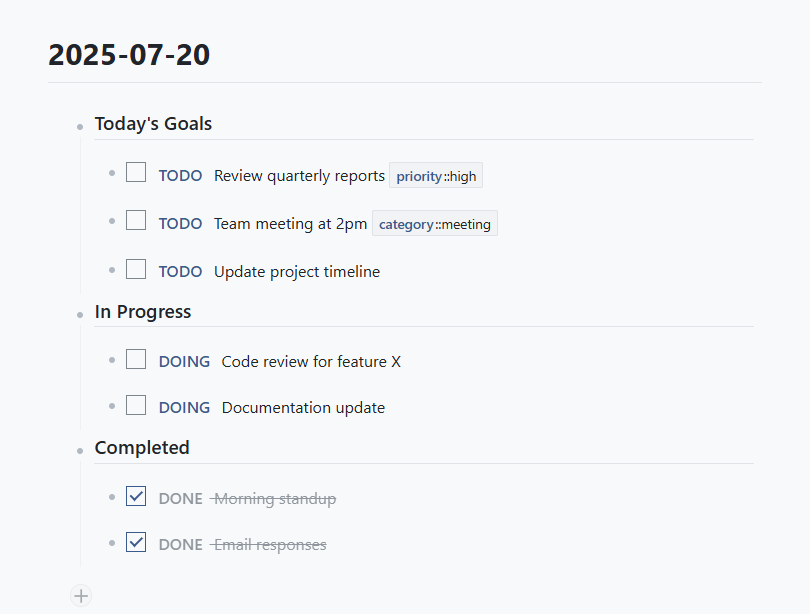
Use journal pages for daily task planning:
| |
Project Organization
Create dedicated pages for projects with task breakdowns:
| |
Task Tracking with Properties
Use properties for advanced task management:
| |
Recurring Tasks and Templates
Template-Based Tasks
Create reusable task templates:
| |
Journal Templates
Set up templates for consistent daily structure:
| |
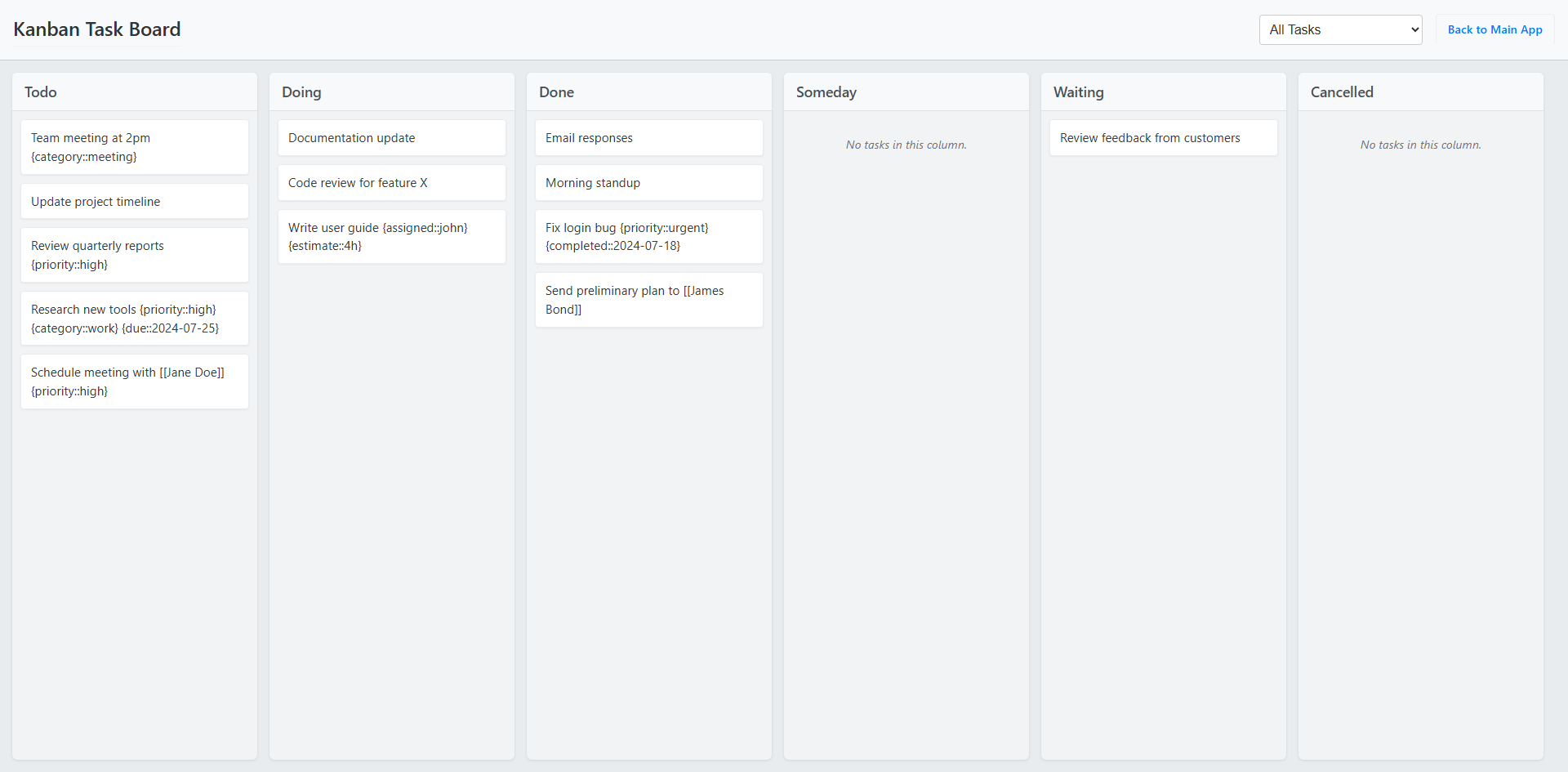
Kanban board
The kanban board extension gives you a quick overview of all tasks, and let you update their status. You can add custom property filters to only show certain tasks (e.g., by urgency or project).
Task Search and Filtering
Finding Tasks
Use search to find tasks across all pages:
- Search for task states: “TODO”, “DOING”, etc.
- Filter by properties: “priority::high”
- Find tasks by category: “category::work”
SQL Queries for Task Management [NOT YET SUPPORTED]
Create dynamic task lists with SQL:
| |
This creates a prioritized task list across all your pages.